Google analytics allows you transfer ownership to any other person in your company or to any of your client. Below are the steps to transfer google analytics ownership.
Transfer Google Analytics Account Ownership
Step 1: Sign in to your analytics account
Step 2: Go to Admin & Select the Account which you want to transfer the ownership
Step 3: Click on User Management
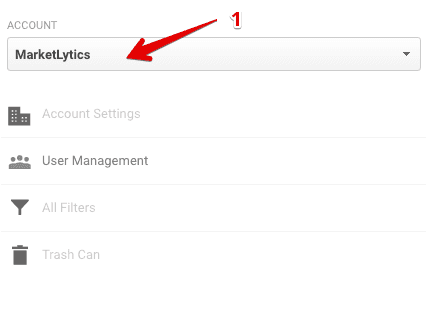
analytics account user management
Step 4: In the Add Permissions for field enter the email address of the specific person.
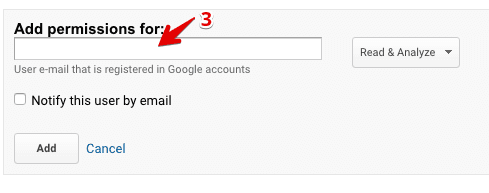
enter new owner email
Step 5: From the drop down menu check the option for the new user access.(i.e) check all for to give full admin access)
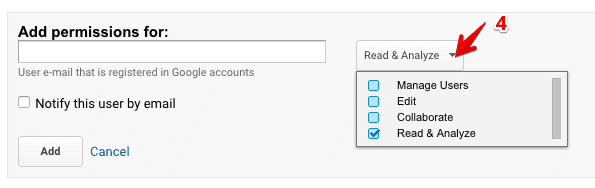
check user access options
Step#6: click Add button and you are done.
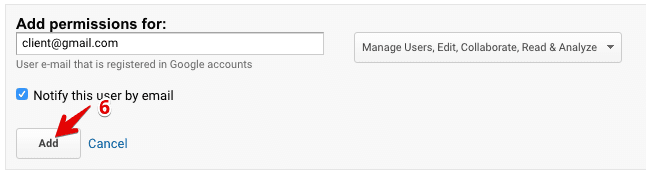
click add button

Transfer Google Analytics Property Ownership
Step 1: Sign in to your analytics account
Step 2: Go to Admin & select the specific property from the dropdown list
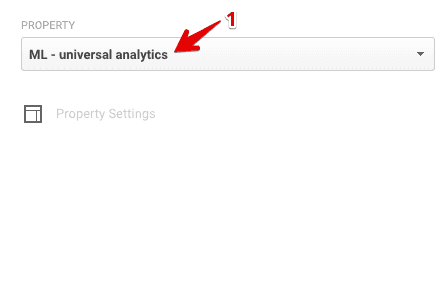
select property
Step 3: click on User Management
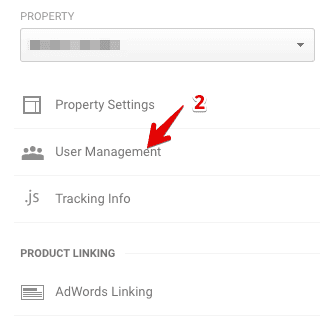
select user management
Step 4: In the Add Permissions for field enter the email address of the specific person.
enter new owner email
Step 5: From the drop down menu check the option for the new user access.(i.e) check all for to give full admin access)
check user access options
Step 6: click Add button and you are done.
click add button