If you have created an adwords report in Looker Studio, you might notice that it doesn’t display conversions. You can’t import conversions separately or create a calculated field. In this article, I will show you an alternate way to display Adwords conversions in Looker Studio.
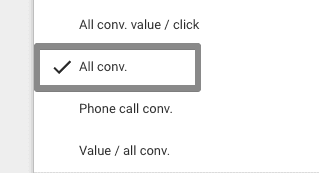
Step 1: select the metric as all conversions
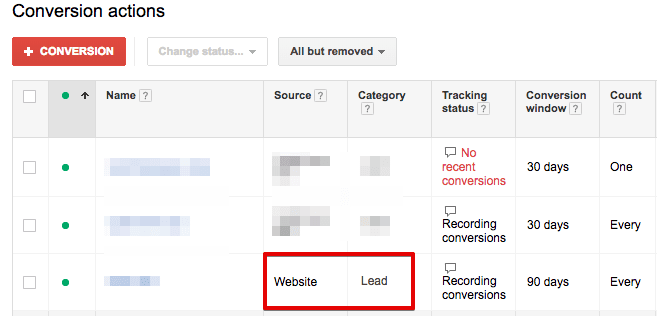
Step 2: open conversions in your Adwords account and check the conversion category and conversion source of the conversion.
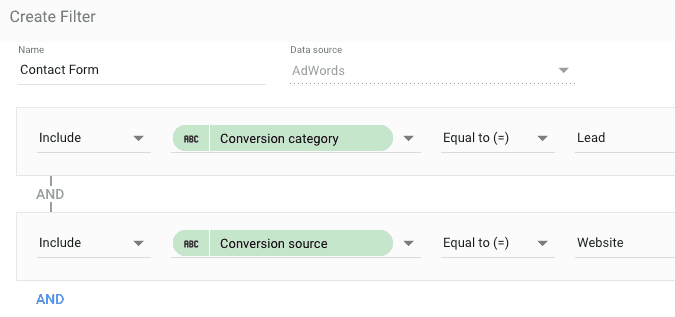
Step 3: following step 1, create a filter in looker studio. Enter the conversion source as ‘Website’ and conversion category as ‘Lead’ as displayed in the image below.
Step 4: hide the metric name from styles and add the conversion name manually.
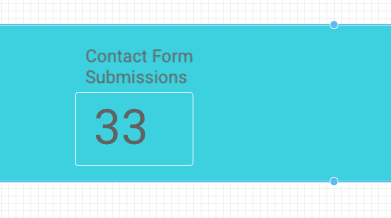
This was a very simple tip to display Adwords conversions in looker studio. You can also read our Looker Studio tutorial.